 Available
Countable
Count what matters in your day.
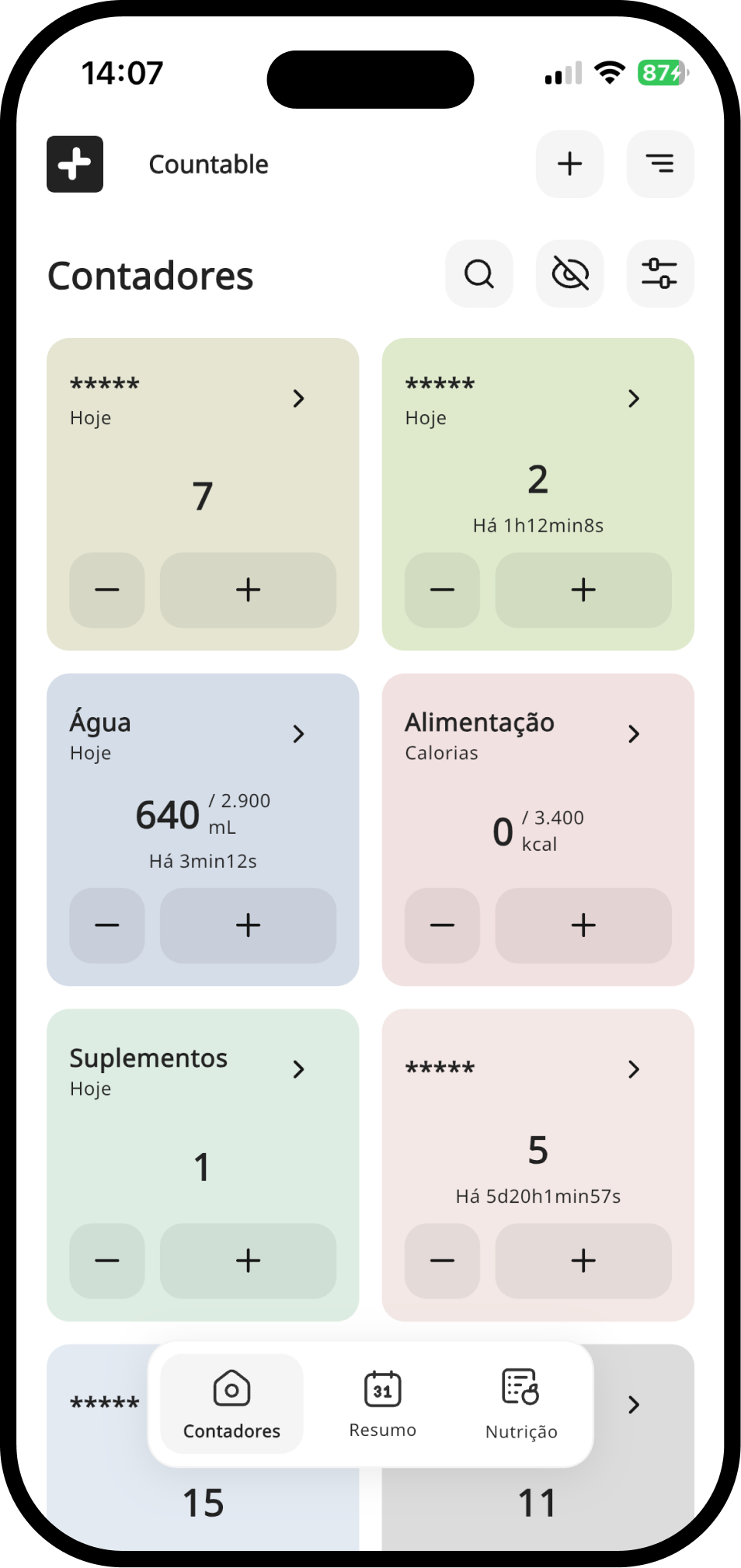
Create counters for anything — habits, repeated tasks, whatever you want to measure — and follow how each one evolves over time.
Available for iPhone and Android
A family of apps
Thoughtfully designed apps for the things you do every day. Each one is simple from the first tap and complete enough to rely on.
The apps
Small, focused applications, each designed to do one job completely and to work beautifully on its own.
AvailableCount what matters in your day.
Create counters for anything — habits, repeated tasks, whatever you want to measure — and follow how each one evolves over time.
Available for iPhone and Android
A few of the apps we are building now.

Today's appointments, at a glance.
An appointment calendar with reminders, repetition and color, a “Today” widget, search and backup.

Tasks organized into projects.
Organize tasks into projects, with due dates and attachments, and use the board to see what comes next.

Your ideas, connected to each other.
A personal knowledge space: write in blocks, link ideas with [[links]], organize them in collections and explore everything on a map.
Time, tasks and attention.
TodayIt, In developmentToday's appointments, at a glance.An appointment calendar with reminders, repetition and color, a “Today” widget, search and backup.
Built for iPhone and Android
TaskIt, In developmentTasks organized into projects.Organize tasks into projects, with due dates and attachments, and use the board to see what comes next.
Built for iPhone and Android
 NudgeIt, In developmentReminders at the right time and place.
Reminders that go off by time or when you arrive somewhere. They then ask whether you remembered, and there is a home screen widget.
Built for iPhone and Android
 TimeIt, In developmentClock, alarms, timers and world time.
The clock app, done carefully: alarms, a world clock, a stopwatch and timers, with a home screen widget. Works offline, with no account.
Built for iPhone and Android
 PomodoIt, In developmentFocus in blocks, with a shrinking disc.
A focus timer in the Time Timer style: a shrinking disc shows the time left, with no numbers racing by.
Built for iPhone and Android
Write things down and find them again.
ThinkIt, In developmentYour ideas, connected to each other.A personal knowledge space: write in blocks, link ideas with [[links]], organize them in collections and explore everything on a map.
Built for iPhone, Android, Mac, Windows, and Linux
 NotoIt, In developmentNotes on a wall of sticky notes.
A wall of colorful sticky notes for your notes, with tags, a trash bin, private notes protected by biometrics and AI dictation.
Built for iPhone and Android
 JourneyIt, In developmentA journal with mood, photos and guiding questions.
Record your day with text, mood, photos and tags. Guiding questions help you start, and the reminder and lock protect both the habit and your privacy.
Built for iPhone and Android
Small daily routines that add up.
Countable, AvailableCount what matters in your day.Create counters for anything — habits, repeated tasks, whatever you want to measure — and follow how each one evolves over time.
Available for iPhone and Android
 StrongIt, In developmentLog your workouts, even offline.
Build your workout plans and log sets, weights and reps, all without needing the internet.
Built for iPhone and Android
 GulpIt, In developmentDrink the right amount of water, with reminders.
Log every glass of water and get reminders on the schedule you set, with Drank and Snooze buttons right in the notification. There is also a “+” widget on the home screen.
Built for iPhone and Android
 MacroIt, In developmentLog what you eat and follow your macros.
Write down what you eat and follow the day's calories and macronutrients, with optional AI help and voice dictation.
Built for iPhone and Android
 MedikIt, In developmentYour medications at the right time.
Add your medications and schedules and get notifications or alarms at the right time, so you never miss a dose.
Built for iPhone and Android
 QuitIt, In developmentLeave a habit behind, one day at a time.
Track the time away from an addiction, celebrate each milestone and see how much you have saved. One day at a time.
Built for iPhone and Android
Capture, keep and play.
 ImageIt, In developmentYour photos and videos on a timeline.
Your device gallery on a timeline, with a calendar, albums, favorites and a place for hidden items.
Built for iPhone and Android
 CameraIt, In developmentPhotos and video, without the clutter.
A camera for photos and video with the controls you actually use. Works offline, with no account.
Built for iPhone and Android
 VoiceIt, In developmentA voice recorder that never loses a take.
Record with the screen locked or the app in the background, pause and resume, and get your recording back even if something interrupts it. Works offline.
Built for iPhone and Android
 MusicIt, In developmentYour music, offline.
A player for the music already on your device, with no internet, lock screen controls and a widget.
Built for iPhone and Android
The people you talk to.
 EmailIt, In developmentAll your email in a single inbox.
Brings your accounts into one unified inbox, with grouped conversations, search and a home screen widget. Sign in with Google, Microsoft or an app password.
Built for iPhone and Android
 ContactIt, In developmentYour contacts, private and one tap away.
A private address book that keeps everything about each person, from phone numbers to birthdays, and reaches them in one tap. Share a contact by QR code or vCard. Works offline.
Built for iPhone and Android
Move things between places and devices.
 FolderIt, In developmentYour files, organized without fuss.
A simple file manager: browse folders, copy, move and organize your files without the complication.
Built for iPhone and Android
 TransferIt, In developmentSend files between your devices, no cloud needed.
Send files directly between phones and computers on the same network: no account, no server, no internet required. A six-digit code confirms who is on the other side.
Built for iPhone, Android, Mac, Windows, and Linux
An idea we are exploring: share what you copy — text, links and images — between your phone and your computer.
Small things you reach for often.
 WeatherIt, In developmentThe weather forecast, clear and direct.
Forecast for where you are and for the cities you save, hour by hour, with air quality, alerts and a widget.
Built for iPhone and Android
 MoneyIt, In developmentIncome and expenses under control.
Log income and expenses with a category and a note, see the totals for the period and the summary by category. Everything stays on your device.
Built for iPhone and Android
 AuthenticateIt, In developmentTwo-factor codes, offline and protected.
Generates two-step verification codes with no internet needed. Codes live in an encrypted vault on your device, with a password-protected backup and transfer by QR code.
Built for iPhone and Android
 MaybeIt, In developmentYes, No or Maybe: decide with one tap.
Can't decide? Tap Decide and the app answers Yes, No or Maybe, with a spin of a roulette wheel. As simple as that.
Built for iPhone and Android
Built to work with the other apps.
 UnIt, In developmentOne assistant for the whole family of apps.
Ask in plain words — “add a task to my MusicIt project” — and UnIt hands the request to the right Minifull app. It only says done when that app confirms.
Built for iPhone and Android
Philosophy
The best tools remove unnecessary complexity without removing useful capabilities. Every Minifull app is designed to feel simple from the first interaction and to stay capable as your needs grow.
The promise
When two good choices compete, this is the order we follow:
We don't remove what you need to look simpler, and we don't add what you don't need to look more powerful.
The family
Each app is built to solve a specific problem, and none of them needs the others to be useful. As the family grows, they can become more useful together, through integrations we add one careful step at a time.
In every app
The apps share the same components, typography and settings for theme, language and font. Once you know one, you know your way around the rest.
In development
An optional account that keeps an app's data in step between your phone and your other devices, Android and iPhone alike.
In development
UnIt takes a request in plain words and passes it to the right app, starting with TodayIt and TaskIt.
Anything marked “in development” is not available yet. We will say so here when it is.